
Agree the shape early
Discuss the broad daily rhythm when everyone is calm. Keep the first version simple enough to remember and adjust it when real family plans change.
Arguments often arrive at the transition: the moment a routine changes, a warning is missed, or the next step is unclear. A predictable family plan gives everyone something concrete to work from.
Applies to iPhone, iPad & family daily routines
Children find boundaries much easier to navigate when expectations are communicated well before devices are turned on.
Discuss the broad daily rhythm when everyone is calm. Keep the first version simple enough to remember and adjust it when real family plans change.
Choose a warning point that gives enough time to finish the current activity and name the next step. A visible signal can make the transition less surprising.
A routine is easier to follow when the same words and sequence are used most days. Consistency does not mean the plan can never change.
Use this 5-step sequence as a starting framework, then adapt it to your family and your child's age.
“Screen time will finish after this warning.” A calm, neutral verbal cue anchors the upcoming transition.
Say what happens after the device is put away (e.g. snack, dinner, walking the dog, starting homework).
Where appropriate, let your child choose between two acceptable next activities to give them healthy agency.
Keep your wording short, warm and return to the agreed routine without entering extended debates.
If the plan repeatedly fails, adjust the plan during a calm moment rather than arguing about the same friction point.
Use this quick 3-phase checklist to keep daily screen time predictable and stress-free.
Create a simple routine in your browser. No account, child name or sensitive information required.
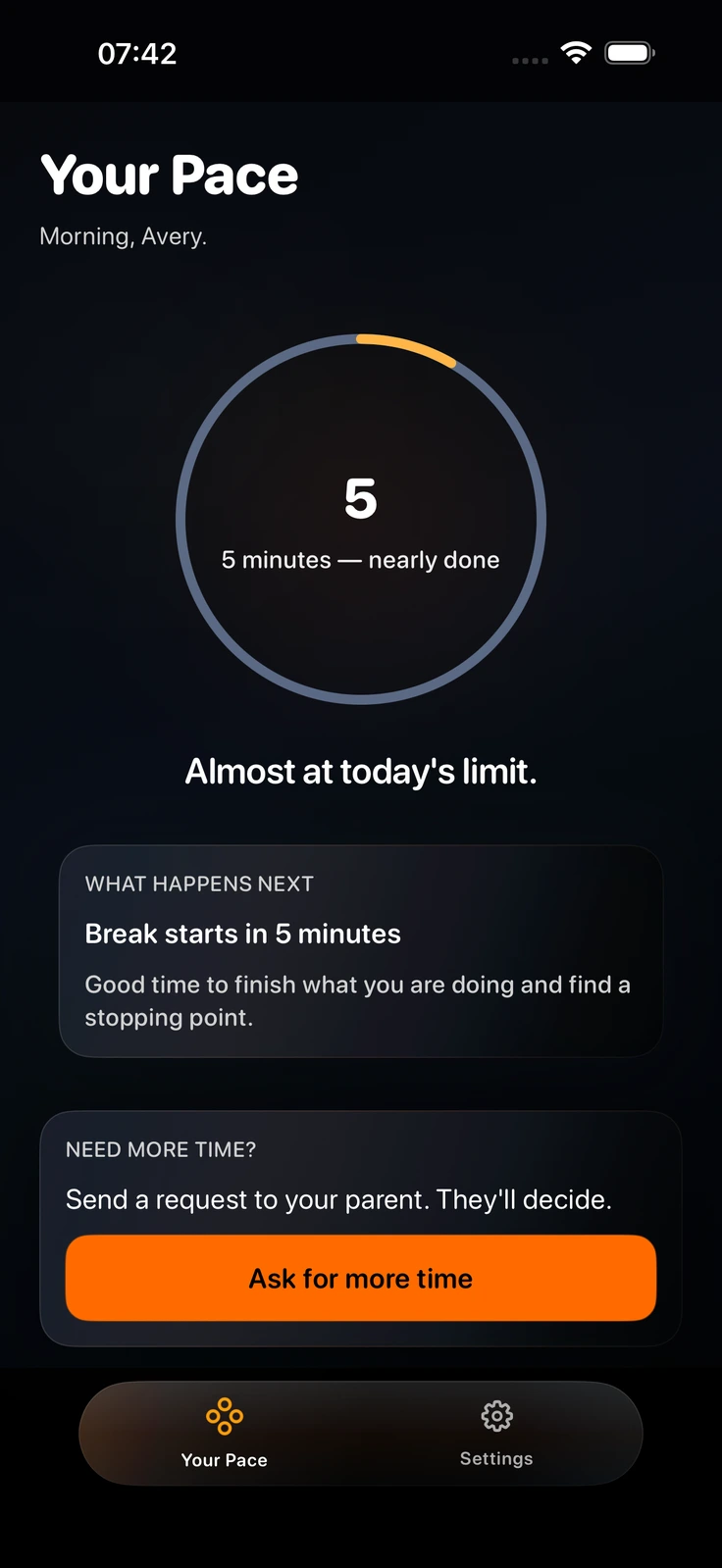
PaceOut makes a family rhythm visible on iPhone and iPad with a child-facing pace ring and clear states. It turns abstract rules into an objective, visual transition that children can see before time runs out. Private by design, with no app tracking or surveillance.
Here are answers to common questions about setting screen-time boundaries without arguments.
Transitions often cause conflict when they feel sudden or arbitrary to a child. A visual warning and predictable daily rhythm give children time to wrap up before time expires.
Instead of an abrupt cutoff, a pace ring allows children to monitor their remaining time directly, turning a parent-enforced limit into an objective, shared signal.
Yes. PaceOut Premium provides an in-app “Ask for more time” action so children can send a calm request that parents review directly on their own device.
PaceOut requires iOS 17.0 or later on iPhone and iPad, and includes an Apple Watch companion requiring watchOS 10.0 or later.
Parent → ring → child
Download PaceOut free on the App Store and start with a clear daily rhythm.
Download free on App StoreiPhone & iPad · watchOS companion · No ads · No data selling