

Family screen time for iPhone & iPad

Parents set the plan. Kids see their pace.

PaceOut gives children a clear pace ring and wrap-up warnings. Parents set the plan, and everyone sees what comes next.
5.0 on the App Store iPhone · iPad · Apple Watch
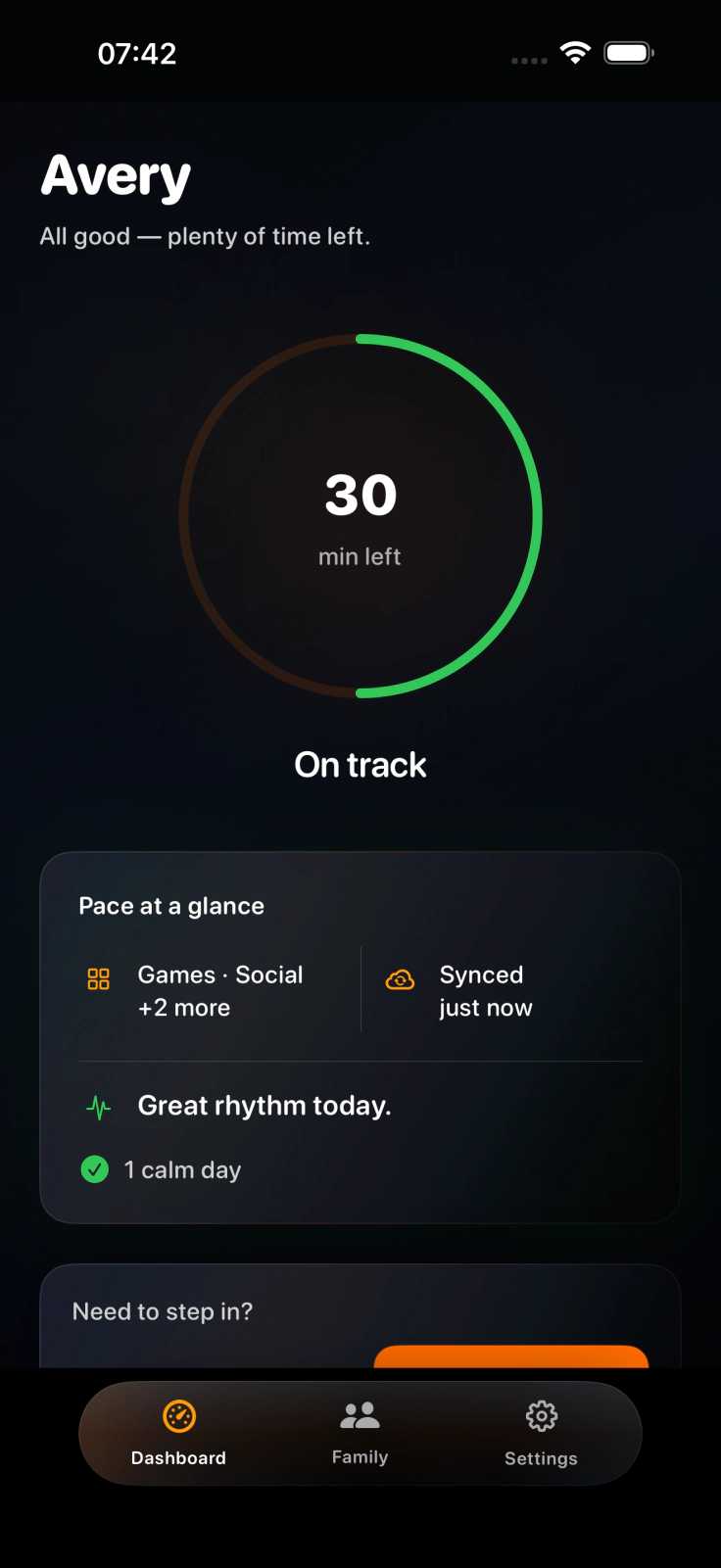
PaceOut parent dashboard showing a daily screen-time rhythm
Shared pace
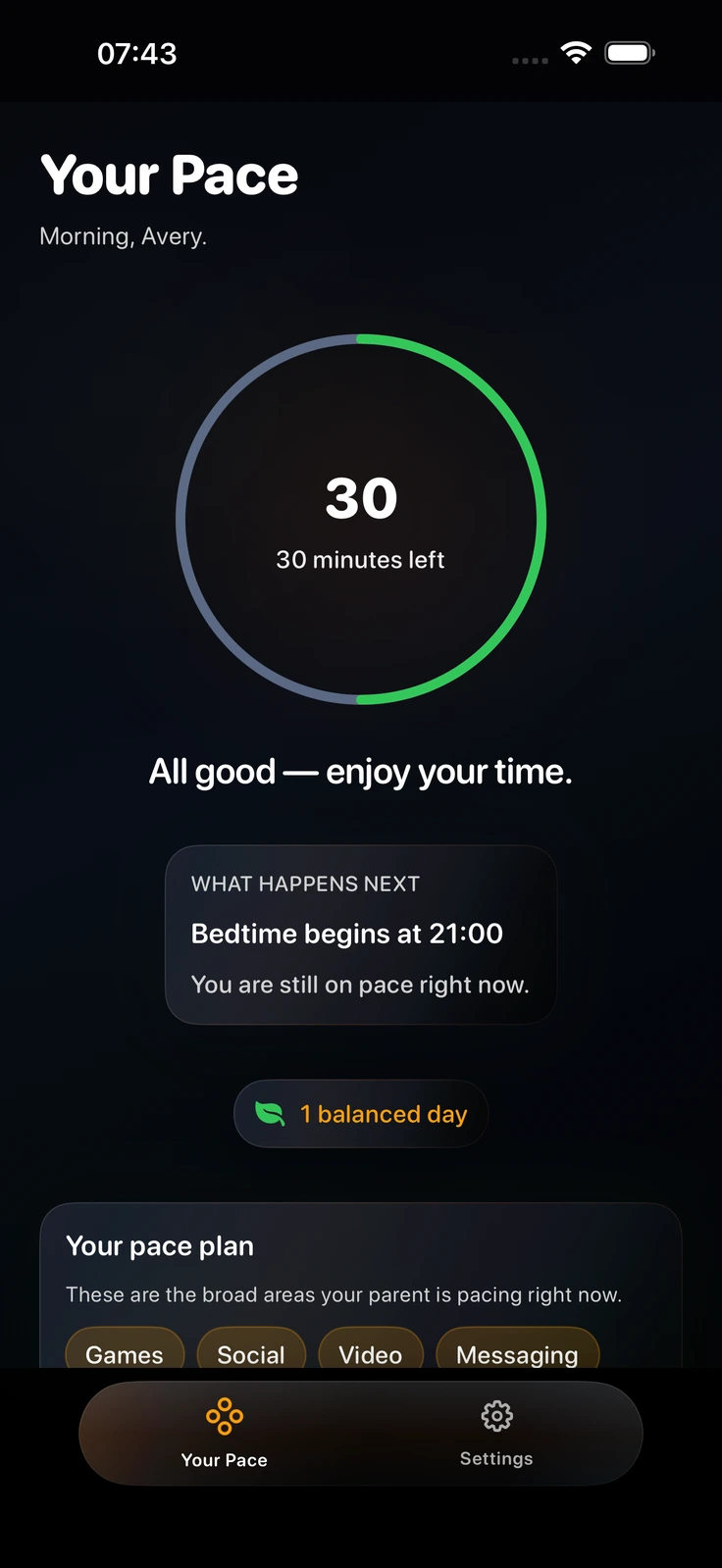
PaceOut child screen showing 30 minutes left
Parent sets the plan. Child sees the pace.

Make the next transition visible.

PaceOut gives both sides of the family the same simple rhythm to follow.
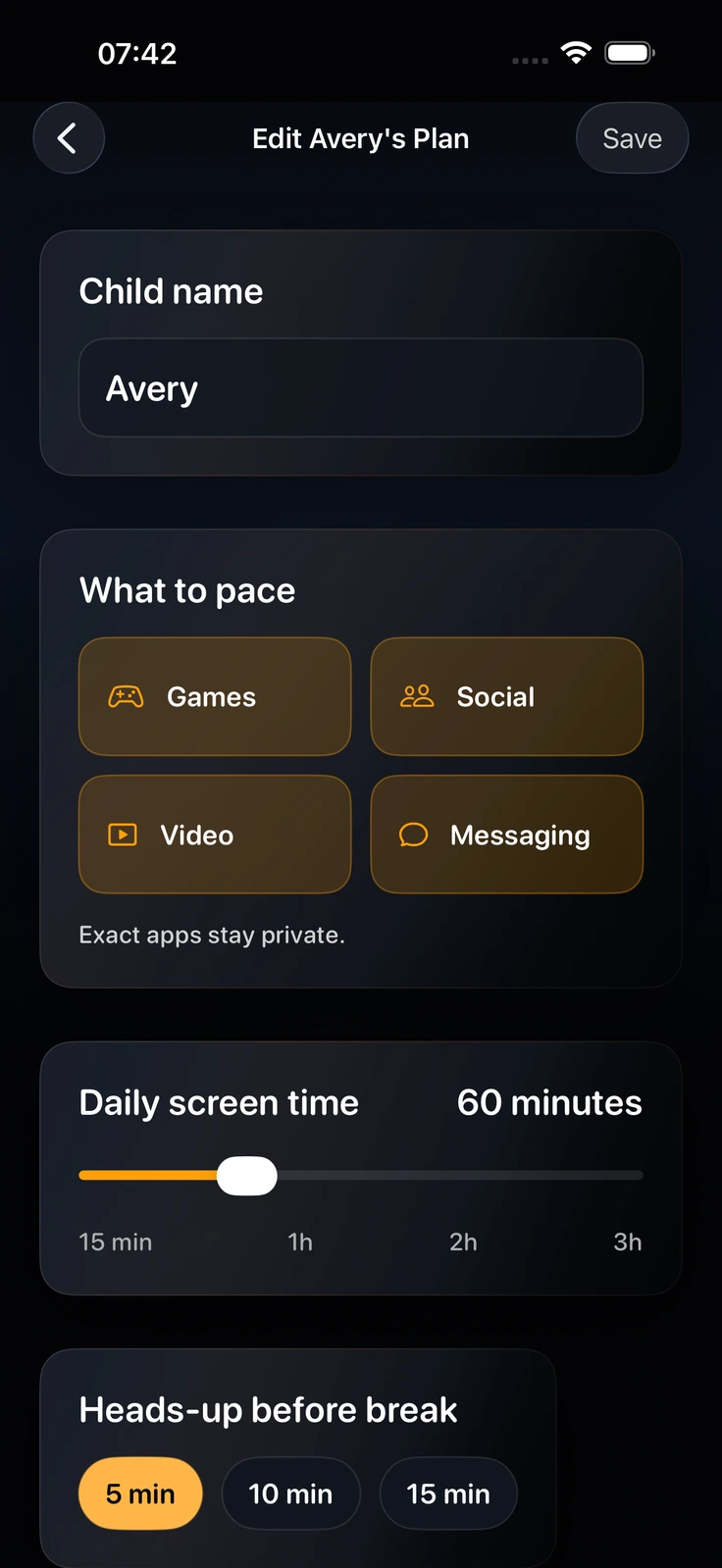
PaceOut parent Pace Plan screen with categories, allowance, and warning settings
  1. 01

    Set the rhythm

    Choose categories, a daily allowance, and a bedtime wind-down window.

  2. 02

    Show what is left

    The child sees a clear pace ring and a predictable signal before time runs out.

  3. 03

    Adjust together

    When plans change, parents and children have a shared next step instead of a surprise.

The plan stays visible on both sides.

Three core moments keep the family aligned without turning screen time into a daily negotiation.

PaceOut parent Pace Plan screen
Set the planChoose broad categories, daily allowance, and bedtime wind-down in one parent view.

A visible pace window

The day has a shape children can follow.

PaceOut keeps the language simple as the day changes: on pace, winding down, or taking a calm break. The child sees what comes next instead of meeting a sudden cutoff.
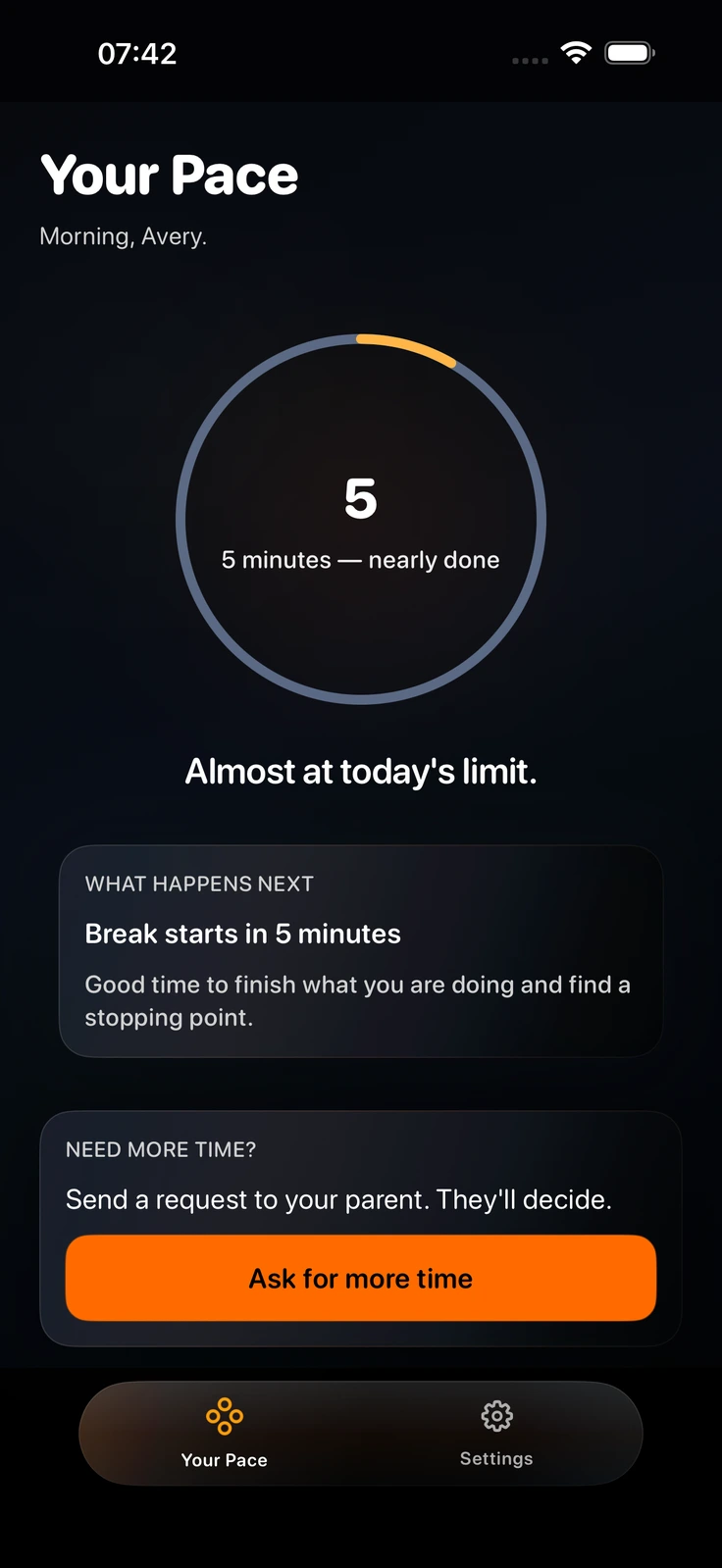
  1. On paceSee the remaining allowance and move through the day.
  2. Winding downGet a clear cue before the next boundary.
  3. Calm breakMake the pause explicit and predictable.
PaceOut child Wind Down screen showing a clear transition cue
Wind Down · a clear next step

Private where it counts.

Parents choose broad categories with Apple Family Controls. App selections stay on the child device, and family state syncs through Apple CloudKit.
  • No app names or browsing history.Exact selections stay on the child device.
  • No ads. No data selling.PaceOut is built for a family routine, not an audience profile.
  • Built for everyday family life.One child is free. Premium supports up to five child profiles when your family needs more.
Read the privacy policy
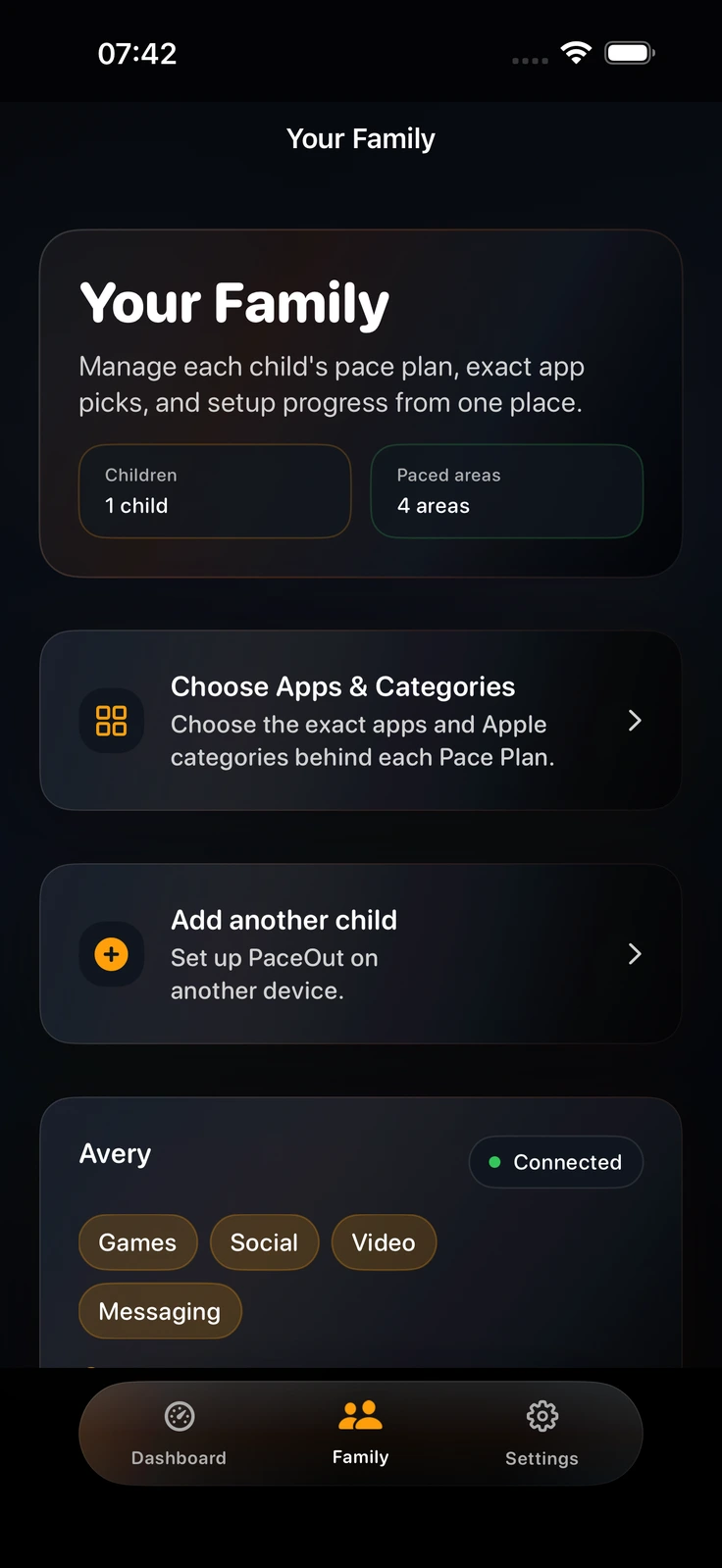
PaceOut Family Overview showing connected family pace states

Start free. Add more when you need it.

Download PaceOut free and begin with one child. Premium is an optional annual upgrade for growing family routines.

Free

One child, the core rhythm

£0 to download

  • One child profile
  • Daily allowance pacing
  • Broad category selection
  • Basic bedtime wind-down
  • Family device pairing
Download free

Premium

More room for the whole family

Optional annual subscription

Apple shows the current local price and any eligible introductory offer before purchase.

  • Up to five child profiles
  • Remote pause and add time
  • History, scheduled pauses, and split bedtimes
  • Daily summaries
  • Apple Watch complications and Siri Shortcuts
See Premium in the app

Questions parents ask first.

Short answers on setup, plans, privacy, and Apple device support.

Is PaceOut free to download?
Yes. The Free plan supports one child with core daily pacing, category selection, a basic bedtime wind-down window, and device pairing. Premium is optional.
What does Premium add?
Premium adds up to five child profiles, remote pause and add-time actions, 7-day history, scheduled pauses, split bedtimes, daily summaries, Apple Watch complications, and Siri Shortcuts.
Does PaceOut see which apps my child uses?
Parents choose broad categories with Apple Family Controls. App selections stay on the child device. PaceOut does not collect app names, browsing history, URLs, or private messages.
Which Apple devices are supported?
PaceOut requires iOS 17 or later on iPhone and iPad. The companion Apple Watch experience requires watchOS 10 or later.
How long does setup take?
The current experience is designed to get a family started in about two minutes: set the plan, choose broad categories, set a bedtime window, and pair the child device.
How does PaceOut handle transitions?
PaceOut gives the child a visible daily allowance and a predictable wind-down cue. Parents can review the agreed plan and make a supported adjustment when the family needs one.
Can my child ask for more time?
Yes. PaceOut Premium lets a child send a request that a parent can review from their own device. Supported changes update when paired devices sync.
Does PaceOut need permission?
Yes. PaceOut uses Apple's Family Controls framework and parents approve access during setup.
Can I manage more than one child?
The Free plan supports one child profile. Premium supports up to five child profiles in the current parent app.
Does PaceOut replace Apple Screen Time?
PaceOut is built with Apple Family Controls to add a visible daily rhythm, pacing, and family planning around supported Screen Time features.

Give the next moment a little more room.

Download PaceOut free and start with a daily rhythm your family can see.

Download free

iPhone and iPad · Apple Watch companion · No ads · No data selling

PaceOutFree on the App Store
Download